Now in private beta · 25 free seats
Your career, as an interactive timeline.
Build a beautiful, interactive timeline of your career (roles, education, achievements, and recommendations), then share it as a link or embed. Import from LinkedIn in one step, and let an AI assistant answer questions about it.
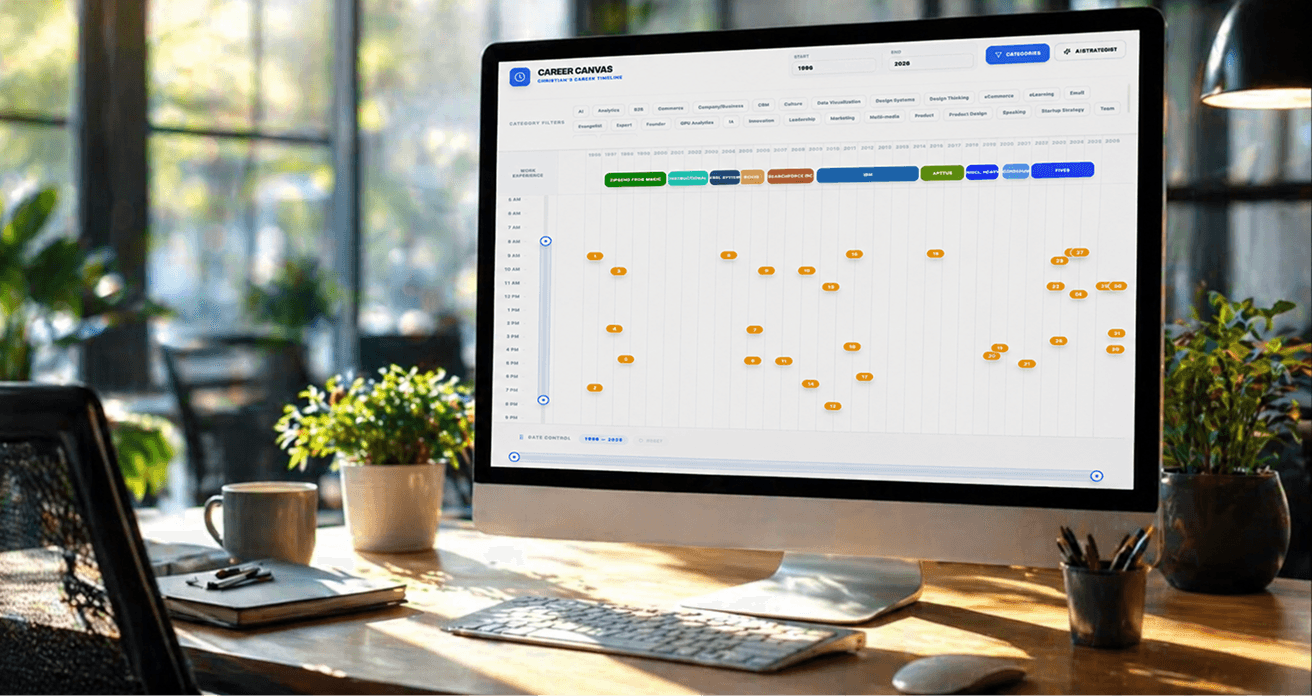
Everything a résumé can’t show.
One timeline, every chapter
Roles, education, achievements, and recommendations laid out on a single interactive timeline: zoom, filter, and explore a whole career at a glance.
Import from LinkedIn in one step
Upload your LinkedIn data export, review everything on one screen, and import your roles, education, certifications, and skills all at once.
Ask the built-in AI assistant
Ask a timeline questions in plain language, like “what are the strongest skills here?”, and see the answers highlighted right on it.
Share as a link or embed
Publish a read-only view anyone can open. Recruiters and collaborators can explore it, and even ask the assistant, with no account needed.
Built for both sides of the table.
A résumé flattens a career into a page. Career Timeline Pro gives both sides the full picture.

Stand out, and prove it
When everyone's flooding the pool with AI-tuned résumés, a living, provable career story is how you stand out.
Tell the fuller story. Bio, roles, education, achievements, and recommendations, all in one place, focused on what you accomplished, not crammed onto one page.
One link, always current. A single source of truth you update anytime and share as a link or embed. Never send a PDF again.
Back it up with proof. Don't just claim it. Attach supporting details, links, and embedded content as evidence. (No file uploads, by design, it keeps everything fast and affordable.)
Your skills, your way. Build custom skill groups and tag them to the exact roles where you used them.
See it two ways. A full chronological timeline, or the near-zero-scroll Master Details view.

Get the real picture, faster
Less digging, more knowing. The evidence is right there on the timeline.
Ask instead of dig. The built-in AI assistant answers your question, summarizes, and shows when and how often they did it, with the evidence highlighted on the timeline.
Surface what matters. Click the skill and category tags to isolate exactly the experience you're screening for, and verify fit at a glance.
Read it your way. Chronologically or by category; as a timeline or a near-zero-scroll Master Details view.
Easy on the eyes. Light and dark modes for long review sessions.
How to get your own timeline
Request beta access
Add your email below. Invites go out to the first testers.
Create your account
You'll get a link to sign up, free for the whole beta.
Build your timeline
Start from scratch or import from LinkedIn, then share it.
Ready to build yours?
Free for every beta tester. Limited to 25 seats to start.
Prefer to wait for the public launch?
Join the waitlist and we’ll email you the moment it opens to everyone. No beta seat needed.